
The Boundary#
It’s Friday night. There’s a restaurant/bar down the street. You need to be 18 to get in and 21 to drink. Think of this place as the boundary between the outside world and your program.
The bouncer at the gate does two things. First, he checks if you have a valid ID and whether you’re old enough or not. In programming, this is known as validation. Second, if you pass, he hands you a wristband. Red if you’re 18, 19, or 20, which means food only. Green if you’re 21 or over, which means food and drinks. Turning age into a wristband that encodes what you can do inside is known as parsing.

Let’s model this in code and see how validation and parsing work together.
Object-Oriented Programming#
We start with a simple helper for validation that answers whether a given age is above a certain minimum.
| |
Next, we define the Guest and its parser.
| |
We model Guest as a named tuple with a name and an age. Note that age is just an integer here, it does not have its own type. The parser first coerces the raw inputs, which is validation and parsing together under the hood. In production, it’s good practice to wrap this line with a custom exception. Next, if the age clears 18, it stamps out a Guest instance. In production, it’s also good practice to use constants for the age thresholds, and not hardcode magic numbers. But in terms of modeling, do you think we did a good job so far?
The bouncer could tell a fake ID from a real one, but we skipped that for simplicity (KISS principle). The real issue is in parse_guest itself. Can you spot how we drift from the story?
Our parser packs everyone over 18 into the same type, Guest with age: int. From the type system’s perspective, a 19-year-old and a 21-year-old look identical. That is as if the bouncer is handing out one yellow wristband to everyone. This doesn’t match the story, but maybe it doesn’t matter, though. Why bother modeling two wristbands? Maybe age is supposed to be just a number? To understand, let’s see how this would affect downstream code.
| |
Here, we have two handlers. One for ordering food and another for ordering a drink. The food handler only needs a guest. The drink handler needs to know whether the guest is old enough.
So, order_food is easy. Once a guest passes the gate, they can order food. However, order_drink is not as clean. The bartender has to check the ID again, because “is this guest 21 or older?” is not something the type system can read off of the Guest type. We validated at the gate, then validated a second time at the bar. The runtime cost is tiny, but the same business rule is now duplicated in two places, and that is the real design smell. It’s also annoying from the user perspective. The bouncer already checked the guest’s ID. Why does the guest need to show it again to the bartender?
Let’s fix this by encoding the wristbands into the type system. If you’re new to static typing in Python, read the first chapter in our pip install series. The idea is that if a red wristband and a green wristband are different types, a static type checker will be able to reject any code that hands a red wristband to the bartender, and we drop the runtime check entirely.
A natural first attempt is to give each wristband its own type. Python’s typing library has NewType for exactly this. It creates a distinct type from the type checker’s perspective, while at runtime the value is still the underlying primitive.
| |
Now age of a Guest is either an Adult or a Drinking. It’s a subtype of int from the type checker’s perspective but distinct from it. So, it’s not just a number anymore.
This looks a lot like the red and green wristbands we wanted, but not quite. Let’s see what happens to the drink handler.
| |
The order_drink handler still has to check at runtime. It takes a Guest, and the type checker only knows the age is one of two things. It can’t tell which one without looking at the value.
There’s also a second problem. NewType is a type-checker-only construct. At runtime, Drinking is just an int with a label, no class object to check against. So, isinstance(guest.age, Drinking) raises a TypeError the moment the handler runs.
$ python -i order.py
>>> alice = Guest("Alice", Drinking(19))
>>> order_drink(alice)
  File "order.py", line 9, in order_drink
    if not isinstance(guest.age, Drinking):
           ~~~~~~~~~~^^^^^^^^^^^^^^^^^^^^^
TypeError: isinstance() arg 2 must be a type, a tuple of types, or a union
Luckily, the type checker also flags it ahead of time.
$ ty check order.py
warning[invalid-argument-type]: Argument to function `isinstance` is incorrect
 --> order.py:9:34
  |
9 |     if not isinstance(guest.age, Drinking):
  |                                  ^^^^^^^^
In fact, these are already hinting at us that we are doing something wrong. We created a type, only for the type checker, but we are trying to use it at runtime to solve our problem. If we fix the isinstance check:
| |
we are back to the same handler, and we didn’t really get anywhere.
Don’t let this discourage you though. We are headed in the right direction, let’s give it one more try. Remember our goal here is to avoid unnecessary validation when ordering drinks, and leverage the type system with a static type checker for this.
A way to achieve this is to split the Guest type into two variants from the type checker’s perspective.
| |
Guest now takes a generic type parameter T (PEP 484/695) constrained to Adult or Drinking. To the type checker, Guest[Adult] and Guest[Drinking] are different types.
Let’s update our handlers to use these new types.
| |
Now order_food happily accepts both Guest[Adult] and Guest[Drinking], while order_drink only accepts Guest[Drinking], which means that if we try to pass a Guest[Adult] to order_drink, the type checker will raise an error.
$ ty check order.py
warning[invalid-argument-type]: Argument to function `order_drink` is incorrect
  --> order.py:18:23
   |
18 |     print(order_drink(alice), order_drink(eve), sep=", ")
   |                       ^^^^^
   | Expected `Guest[Drinking]`, found `Guest[Adult]`
This way, we have successfully modeled the red and green wristbands such that the type system can distinguish between them, and we can avoid unnecessary validation at runtime when ordering drinks.
Before we move on, there’s one small refinement worth making. Adult and Drinking are both subtypes of int, sitting side by side as unrelated types from the type checker’s perspective. But semantically, a Drinking guest is an Adult. We can express that directly.
| |
We made three changes. Drinking is a NewType of Adult, so the subtype relationship is now explicit. Guest’s parameter goes from T: (Adult, Drinking) to T: Adult. With a bound, T accepts Adult or any subtype, which now includes Drinking. Since Guest only reads T through the age field, the type checker can infer T as covariant, so Guest[Drinking] is automatically a Guest[Adult]. That also lets us tighten the parser’s return type to Guest[Adult]. Covariance lets the single signature cover both branches.
That cleans up the order_food handler.
| |
No more union on order_food. A Guest[Drinking] is already a Guest[Adult], so it works seamlessly. order_drink still rejects Guest[Adult], because subtyping only flows one way.
One thing to be careful about: with the runtime check gone from order_drink, our program now happily serves drinks to anyone the type checker didn’t catch.
$ python order.py
Ribeye for Alice, Ribeye for Eve
Wine for Alice, Wine for Eve
The type checker is now the safety net standing between us and serving a cocktail to a minor, which would close our business. So, type checking in Continuous Integration (CI) pipelines is absolutely necessary now. We’ll cover CI in a later chapter.
All this typing and subtyping can be a bit confusing. The formal field that deals with this is called type theory, which is a branch of programming language theory. In Python, this syntax used to be so much more complicated to get right. Here’s an actual snippet from CPython’s source code.
# Some unconstrained type variables.  These were initially used by the container types.
# They were never meant for export and are now unused, but we keep them around to
# avoid breaking compatibility with users who import them.
T = TypeVar('T')  # Any type.
KT = TypeVar('KT')  # Key type.
VT = TypeVar('VT')  # Value type.
T_co = TypeVar('T_co', covariant=True)  # Any type covariant containers.
V_co = TypeVar('V_co', covariant=True)  # Any type covariant containers.
VT_co = TypeVar('VT_co', covariant=True)  # Value type covariant containers.
T_contra = TypeVar('T_contra', contravariant=True)  # Ditto contravariant.
# Internal type variable used for Type[].
CT_co = TypeVar('CT_co', covariant=True, bound=type)
But luckily for us, we don’t need to know any abstract type theory to understand the model we just used, and type checkers will work well without too much hand-holding.
Astute readers might have caught something subtle. Even with covariance, downstream code holding the parser’s result still doesn’t know whether the guest is just an Adult or actually a Drinking. The giveaway is this line, alice_age, eve_age = Adult(19), Drinking(Adult(21)), where we wrap the ages with the right type by hand. The dispatch logic is happening in our heads. The type system can’t resolve it for us, because the answer depends on a runtime value of age. We can move the dispatch around, but we can’t delete it. Not with types alone anyway. There’s a beautiful way to sidestep this entirely using a design pattern that’s used in game development. We’ll get to it later in this chapter.
Finally, don’t forget that parsers and validators are just code with their own bugs. This means you’d want to test them the way we covered in the second chapter of the pip install series. With that, now you know how the typing, testing, and parsing holy trinity dance together to produce production-grade Python code.
The Parsing Arsenal#
Let’s build out our parsing arsenal.
If you’re going to be doing a lot of parsing, reach for a third-party library like Pydantic. Pydantic is the de-facto standard for validation and parsing, and libraries like FastAPI and LangChain are built on it.
Here’s one way to model Adult and Drinking in Pydantic.
| |
The Adult class inherits from Pydantic’s BaseModel, and the Drinking class inherits from Adult. Pydantic does all the heavy lifting, you do not need to write your custom validators and parsers like we did before.
There’s also the attrs library, which predates Pydantic and is still widely used. It also inspired the built-in dataclasses module, which is our next stop.
For lighter-weight options from the standard library, start with dataclasses together with its __post_init__ method for validation.
| |
Beyond dataclasses, you have various typing primitives. Annotated attaches metadata to types, which, as we saw, is how Pydantic hooks in. In the typing chapter, we used Literal to narrow to specific values. TypedDict describes dict-shaped objects without a class, such as JSON. And NamedTuple can be used for simple immutable typed objects like we’ve been using for our Guest model.
Finally, one deeper trick from the standard library is the descriptor protocol. A great feature of descriptors is that they are reusable per attribute. You can write a greater or equal descriptor once, and use it for both Adult and Drinking without copy-pasting validation logic. The cost is that they are more complex for both the developer and the type checker to understand and set up than the alternatives.
| |
As we saw, Pydantic exposes the same constraint as Field(ge=...), but mechanically Pydantic doesn’t use descriptors. It stores metadata on the annotation and routes validation through the Rust-based pydantic-core engine. Even though the machinery is different, the goal is the same, reusable validator per attribute.
Validation vs. Parsing#
A quick detour to test our conceptual understanding, with some historical context.
Pydantic calls itself a validation library. Based on what you’ve seen so far in this chapter, would you also call it a validation library? It definitely does validation, but we now know it doesn’t stop there. A Pydantic model is a real Python class that both your runtime and your type checker can rely on. The NewType trick we tried earlier was a fictional construct for the type system. On the other hand, a Pydantic model is first-class in both worlds. So we could say parsing is the main thing it does. But who are we to argue with the people who built it? They call it a validation library, so it must be a validation library. Right?
In June 2019, the creator of Pydantic opened an issue in the Pydantic repository, titled “Clarify the purpose of pydantic e.g. not strict validation.” The first line reads, “Pydantic is no [sic] a validation library, it’s a parsing library.” He proposed renaming validate_model to parse_model. The renames never shipped because of concerns around backwards compatibility and confusion, but the point is clear.
That same year, a blog post called “Parse, don’t validate” was published. The now well-known slogan captures what we’ve been doing, also referred to as TDD. Not that TDD, though. It’s Type-Driven Design.
The slogan itself is slightly off, because you can’t parse without validating. A more accurate version is “Parse, don’t just validate.” Validation is a step inside parsing. Parsing goes further by producing a typed artifact that carries the invariant. Once you have that artifact, the type system enforces the invariant at every call site. Validation alone can’t do that. The same idea shows up in statically typed languages, where the compiler does the work that a third-party type checker does for us in Python.
Entity-Component-System#
We left the dispatch problem unresolved at the end of the Object-Oriented Programming section. The issue was that the type checker can’t predict whether a guest comes back as Adult or Drinking, because that depends on a runtime value. We can sidestep the problem entirely by reshaping our data, and the pattern that does it comes from game development.
For this section, pretend that we are not building a real restaurant but a life-simulator like The Sims franchise from the early 2000s. The pattern that game engines reach for here is called Entity-Component-System, ECS for short.
ECS has four pieces of vocabulary. Entities are bare IDs, no data and no methods. Components are pure data attached to an entity. Systems are functions that read those components and do work. Everything lives inside a World that owns the storages.
Here is our restaurant as an ECS.
| |
The parser admits the guest as a fresh entity, attaches a Name component, and drops the entity into the drinkers storage if the age clears 21. After parsing, the system serve_food walks names, serve_drink walks drinkers, and the runtime value that was previously hiding inside Guest[T] got encoded into which storage the entity ended up in.
$ python -i ecs.py
>>> the_boundary = RestaurantBar()
>>> the_boundary.parse_guest("Alice", 19)
>>> the_boundary.parse_guest("Eve", 21)
>>> print(*serve_food(the_boundary), sep=", ")
Ribeye for Alice, Ribeye for Eve
>>> print(*serve_drink(the_boundary), sep=", ")
Wine for Eve
There is still a real gap here though: drinkers: set[Guest] tells the type checker it holds guest IDs, nothing more. The fact that this particular set means “guests who can drink” lives only in the developer’s head. Try the same shape in your second favorite language and you’ll hit the same wall. To close the gap we want to encode the meaning into the type system itself, which is the idea behind Type-Driven Design. We do that with a tag component, which is a marker class with no data, used purely to label entities.
| |
Two changes happened. Drinking is now a real class with no fields, and drinkers is a dict[Guest, Drinking] instead of a set[Guest], so the value type carries the meaning that previously lived in our head. The type checker can now catch wiring mistakes, like passing the wrong storage or inserting the wrong component value. It still cannot prove that a particular guest ID deserved the tag, just that the storage holds Drinking values. The world and the parser are still responsible for that invariant. Systems also stopped taking the whole world. Each one declares the storages it actually reads in its signature, which is how some of production ECS frameworks work. Systems declare their queries, and the engine wires the storages up for them.
$ python -i ecs.py
>>> the_boundary = RestaurantBar()
>>> the_boundary.parse_guest("Alice", 19)
>>> the_boundary.parse_guest("Eve", 21)
>>> print(*serve_food(the_boundary.names), sep=", ")
Ribeye for Alice, Ribeye for Eve
>>> print(*serve_drink(the_boundary.drinkers, the_boundary.names), sep=", ")
Wine for Eve
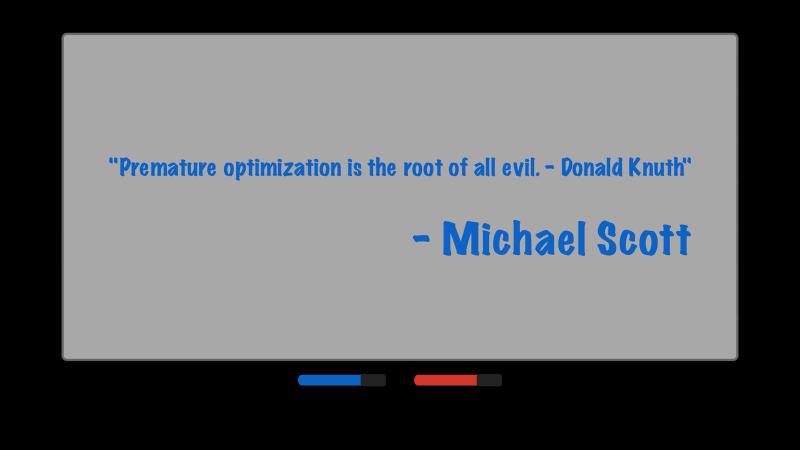
If you have a lot of entities with the same tag, you can also make the tag component memory efficient using a singleton pattern. But as it was famously once put:
Microservices#
We’ve been saying validate once, parse it into a typed shape, and you don’t need to revalidate again. That principle holds inside a single binary. What about an application with multiple processes doing Inter-Process or Inter-Service Communication?
Pretend our restaurant/bar example is from a real business this time, and we are building a microservices architecture for it. In microservices, you typically split a single application into small, independently deployable services that talk to each other over the network. Each service owns a piece of the domain, and the services stay loosely coupled by communicating through agreed API contracts.
The API Gateway corresponds to the bouncer from our story. Its /checkin endpoint accepts a request with an ID and a JSON Web Token (JWT), which is the digital equivalent of the fake-ID check we waved away earlier. Gateway verifies the token, extracts the age claim, and POSTs a Guest record to Restaurant’s /guests endpoint. Restaurant only treats you as a registered guest if such a record exists. So, even a perfectly valid JWT minted somewhere else gets treated as trespassing if Gateway never registered them. Restaurant has four endpoints, /guests, /order/food, /order/drink, and /guests/{id}/drinks. Keeping track of how many drinks each guest has had is another responsibility we now give to Restaurant, so that the Valet (micro)service can query it later. When you call Valet’s /keys endpoint to leave, Valet calls Restaurant and asks how many drinks you’ve had. So, we have three services, each with their own boundaries.
The loose-coupling part is the contract, not the implementation. Services agree on a versioned schema, expressed as OpenAPI, JSON Schema, protobuf, or Avro, and generate per-language models from it. Pydantic plays nicely here because it can emit JSON Schema, so the same Pydantic file can serve as both the Python implementation and the language-agnostic contract.
The posture we use here has a name in network security, called zero-trust architecture. Services don’t grant implicit trust; every request gets re-checked at every boundary. The opposite is a single large perimeter model, and once you’re inside you’re trusted, which is, for example, how traditional VPNs work.
The more common production pattern verifies the JWT only at the gateway and lets internal services trust each other based on network position and the assumption that any JWT on the wire has already been verified upstream. This is usually faster, simpler, and fine for many setups. The trade-off is blast radius. If any internal service is reachable outside the gateway, by misconfiguration or a compromised pod, every other internal service becomes wide open. You should pick the posture that fits your threat model. But for data validation, the rule is non-negotiable. Every service revalidates every payload it receives, no matter who sent it.
But why does data validation matter so much at every server boundary?
Let’s say you’re shopping on a website, and the “Buy” button is greyed out because you haven’t agreed to the terms. You open your browser’s Developer Tools, find the button in the inspector, and flip the disabled attribute to false. The button now works and the request goes out. If the server didn’t re-check the terms, you just bought something you weren’t supposed to. You can easily do the same without a browser. Open Postman, or a Python script with httpx, or just use curl. Craft the HTTP request with whatever headers and body you want, and send it straight at the server. There is no frontend in the loop, so the client-side JavaScript validation has no say in this. We still want client-side validation for user experience. But we definitely need server-side data validation for security.
Practical Tips#
In this chapter, we’ve been through three different architectures. We started with some traditional Object-Oriented Programming. Then we reshaped the model into an Entity-Component-System. Finally, we imagined a microservices architecture. The details of how we write our parsers and how we structure our types changed across the three, but the principle of validating at the boundary and parsing into a typed shape stayed the same.
In the Object-Oriented approach, order_food and order_drink were handlers. In ECS, serve_food and serve_drink were systems. Across the network they became APIs, or endpoints, and we even borrowed terms like Zero-Trust Architecture from the network security world. That’s why it’s important to be able to recognize the “age is not just a number” or “parse, don’t just validate” ideas in different contexts to understand the trade-offs and limitations, even though the vocabulary around them changes.
Validate and parse at every trust boundary. Validation at the boundary gives us confidence that the data inside the program is well-formed. Baking program logic into the type system through parsing lets us catch a class of bugs before the code runs. Together they help us throw more 400s and fewer 500s.
Do not forget to test your parsers. A parser that silently accepts the wrong shape is arguably worse than no parser, because everything downstream now thinks the data is safe.
Don’t reinvent the wheel in production for heavy validation and parsing workloads. For backend, Pydantic is the go-to (also great for config and ML/AI data validation and parsing). For web scraping, BeautifulSoup4 does little validation but is a great HTML parser. For tabular data, pandera.
Review AI output around validation and parsing thoroughly. In the first two chapters, our basic advice was to “just prompt AI for type annotations and tests.” For validation and parsing, it’s trickier because this part of your code is going to be mostly about logic and design. This means if you want good AI output here, you’d need to provide a lot more context than you would for typing and testing. So, it is very important that you do not outsource the thinking about your data models and domain logic.
Final Thoughts#
In just three chapters, we’ve come a long way. With typing, testing, and parsing under your belt, your code is well-modeled, thoroughly tested, and guarded at every boundary. That is what Python production standards look like. But production is not just about code; there are many other tools and technologies that need to come together to run your code smoothly in a real deployment. In the next few chapters, we will cover those pieces, starting with packaging. This will be the first chapter of the CI/CD arc that we will build out. See you there!
Resources#
Tooling#
Python Standard Library#
Validation and Parsing Libraries#
Other Libraries#
HTTP Tools#
Software Architecture#
Standards and Specifications#
- NIST SP 800-207 - Zero Trust Architecture
- RFC 7519 - JSON Web Token (JWT)
- OpenAPI Specification
- Apache Avro
- Protocol Buffers
- JSON Schema
Python PEPs#
- PEP 484 - Type Hints
- PEP 593 - Flexible function and variable annotations
- PEP 695 - Type Parameter Syntax